Use Case - CRM and Sales Management

The first person to call wins.
Not the one with the best price.

You lead the sales team or you're the one who responds when a lead comes in. You have forms on your website, active campaigns, and a CRM full of contacts. What you don't have is the certainty that someone followed up in a timely manner.

• What's going on? •

The form was submitted at 7:40 p.m.
The first call came the next day.

And in between, everything you didn’t want happened: the lead that came in on Friday afternoon and wasn’t reviewed until Monday; the prospect who had already spoken with the competition by the time you finally called them; the campaign that generated twenty leads, and no one knows how many were contacted that same day; the salesperson who didn’t have the CRM open because they were in a meeting, and the feeling that you’re paying for leads that go cold on their own.

24Cevent makes your life easier...

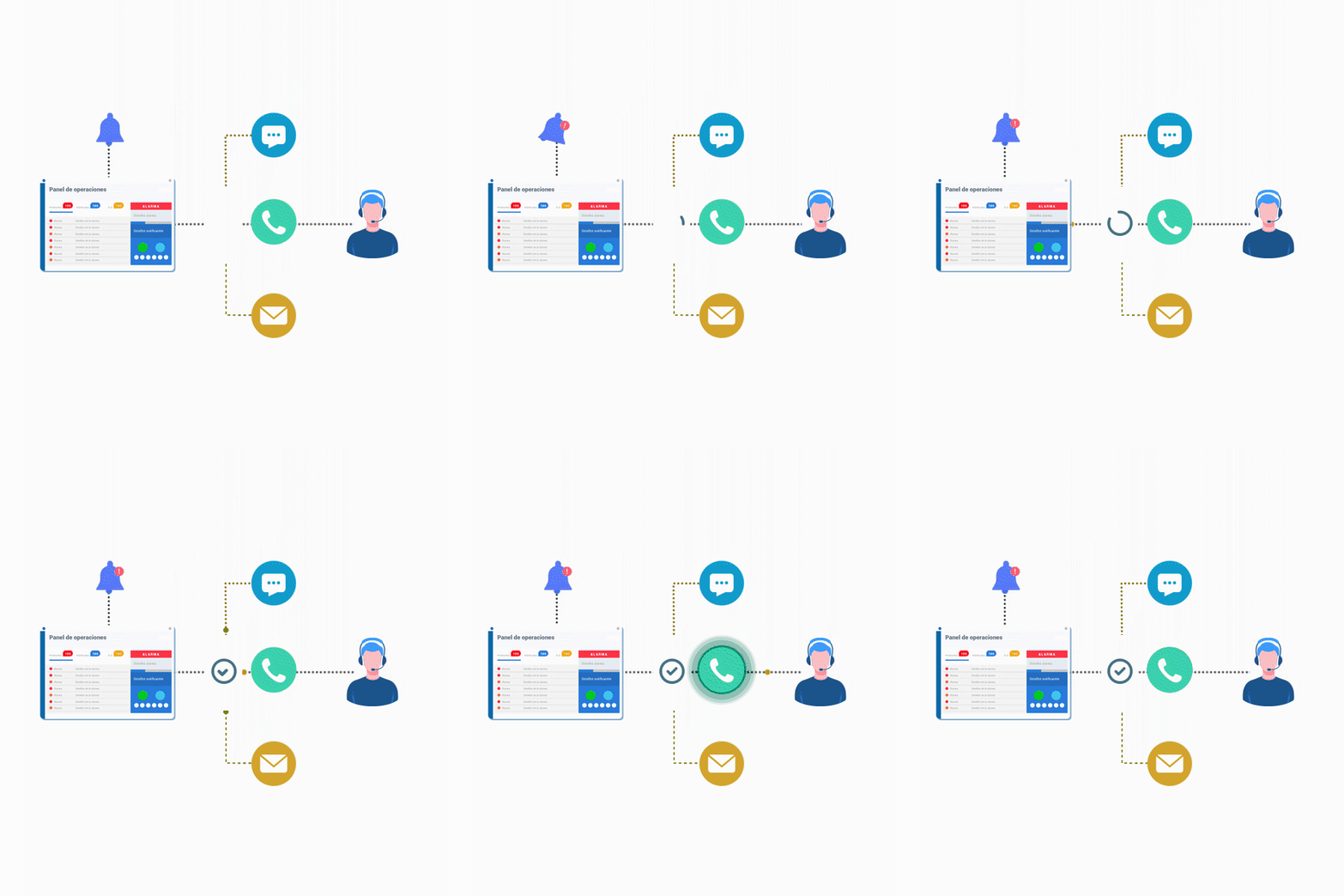
Every new lead rings as " " on the salesperson's phone.

As soon as a lead is entered into your CRM or form, the appropriate person receives a notification where they’ll definitely see it. It doesn’t depend on whether they have a screen open or check their email.

WhatsApp + Phone Call + Business Hours + Confirmation that they received it

How long does it actually take your team to respond to a lead?

Stop guessing. Every lead is logged with the time it came in, who handled it, and how long it took, so you can set a response goal and see if you're meeting it.

First Response Time + Leads Handled on Time + Results by Salesperson

Capture the lead from your cell phone, without opening the CRM.

Assignment + Confirmation + Actions via WhatsApp + Automatic Registration

• It adapts to you, not the other way around •

Your CRM is still your CRM

24Cevent doesn't replace your sales tool or change the way your team works. It integrates with what you already use and focuses on one thing: making sure no lead is left waiting. The contact remains in your CRM, with all their information and history intact.

Not every lead deserves a call at 11 p.m.

Rules by Source + Filters by Lead Type + Business Hours

If the assigned salesperson is unavailable, move on to the next one. Nothing is left unclaimed.

Escalation + Reassignment + Follow-up + Closure

• We all have our favorite tech stack •

It doesn't matter where the lead lands.
The notice arrives anyway

HubSpot
Salesforce
Pipedrive
Freshsales
Close
Zoho CRM
Monday CRM
Intercom
Typeform
Active Campaign
Calendly
Copper


is already a hit for and others like you

Felipe J. - Network Engineer - Clínica Alemana

"It combines fast processing, clear information, excellent tracking, and a high degree of customization; it's a great option for helping us achieve efficiency and adaptability in a single tool."

Doubts?

What is the Sales Response SLA?

This is the maximum amount of time your company commits to taking to contact a new lead. It works just like a support service agreement: you set a target—for example, five minutes during business hours—measure actual performance, and address any shortfalls. Response time is one of the factors that most influences lead conversion.

How do I notify a salesperson as soon as a lead is entered into my CRM?

Connecting your CRM or form to 24Cevent. When a new contact comes in, the assigned sales rep receives a notification via WhatsApp, text message, or phone call, depending on your settings. They don’t need to have the CRM open or check their email to find out.

What happens if the assigned sales representative doesn't respond?

The notification escalates automatically. If the person does not confirm that they have taken the lead within the timeframe you set, the notification is forwarded to the next available sales representative or sales leader, and may switch channels. This ensures that no contact is left waiting because someone was in a meeting or off duty.

How do I know how long it really takes for my computer to respond?

Each lead is logged with the time it came in, who was notified, who handled it, and how much time elapsed between each step. With this information, you can see the average time to first response, how many leads were handled within the target timeframe, and how each salesperson is performing—all without having to keep manual spreadsheets.

Does 24Cevent replace my CRM?

No. Your CRM is still where the contact, their history, and the sales process are stored. 24Cevent only handles the critical moment between when a lead arrives and when someone contacts them—which is precisely where the most opportunities are lost.

Do I need a programmer to connect it?

In most cases, no. Tools like Pipedrive, Typeform, or Zoho let you send the notification to 24Cevent directly from their settings, without writing any code. Some, such as HubSpot, require a paid plan to do this directly, and in those cases, you can connect through bridge platforms like Zapier or Make, which also work without coding.

24Brains-24cevent-icon

Connect your CRM in minutes and make sure no lead is left waiting