What You Need

End-to-End Incident Management
Create, coordinate, and resolve incidents from a single platform
Event-Driven Interactive Workflows
Execute actions instantly without losing control
AI-Powered

Automated L1 Support with 24Brains
Automate issue resolution
Helpful Resources

• What's going on? •
And there you have the rest of the story: the datastore that filled up with snapshots that no one cleaned up, the backup that’s been failing silently for three weeks, the host that didn’t come back online after Saturday’s maintenance, the 30 identical alerts when a single storage cabinet went down, and the disk that warned it was degraded long before it failed.
24Cevent makes your life easier...
Maintenance Windows + Correlation + Grouping
On-call shifts + Rotations + Phone calls + Guaranteed confirmation
Creation + Coordination + Monitoring + Closure
• It adapts to you, not the other way around •
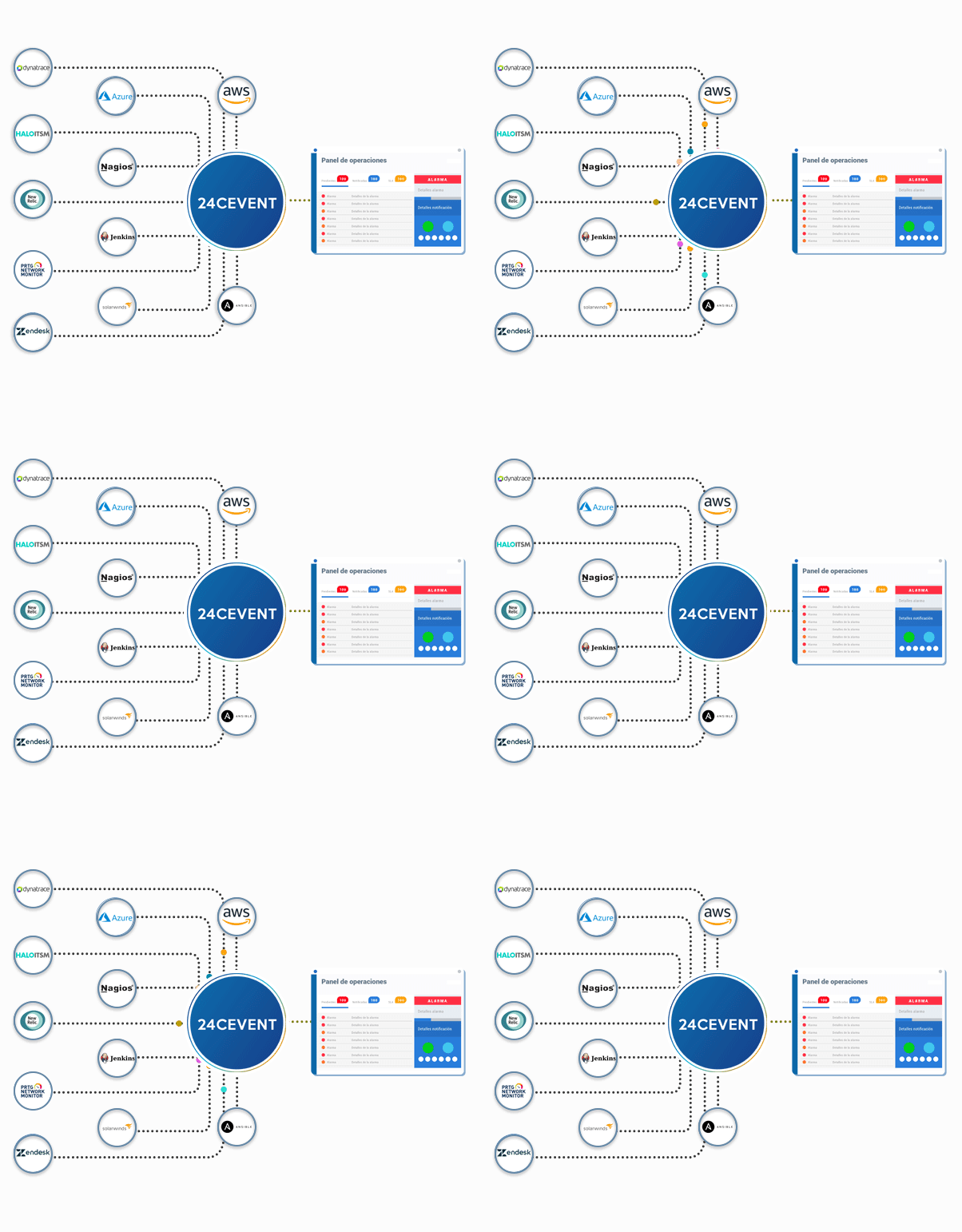
24Cevent does not replace your hypervisor or your infrastructure tools. It takes the alerts that vCenter, Hyper-V, Nutanix, or your storage system already generate and centralizes them alongside the rest of your operations, regardless of whether the equipment is in your server room or in the cloud.
Automated Diagnostics + Remediation + 24Brains AI
Uptime + MTTA + MTTR + SLA Compliance
• We all have our favorite tech stack •
is already a hit for and others like you
Rodrigo Gajardo - CEO
"A great experience—I'm really happy, since it takes the burden of constantly monitoring the systems off my shoulders, and I only have to worry when something actually happens."
Doubts?
vCenter sends notifications natively via email or SNMP trap, not via phone call or messaging. By configuring a vCenter alert to send the event to 24Cevent via webhook or email, you can set that same alert to trigger a phone call, a WhatsApp message, or a Teams message based on its severity.
Defining maintenance windows in 24Cevent. During this period, alarms from the affected devices are logged but do not trigger notifications, so the team does not receive hundreds of expected alerts while applying patches or restarting hosts. When the window closes, notifications are automatically reactivated.
Tools like Veeam can send the results of each job via email, SNMP, or webhook. When connected to 24Cevent, a failed backup is no longer just another email—it becomes an alert with an assigned responsible party, which escalates if no one acknowledges it within the defined timeframe.
Correlation rules group related alarms into a single incident. Instead of 30 simultaneous notifications, the team receives a single alert that identifies the root cause—the downed host—along with details of the affected services associated with that event.
Yes. 24Cevent manages on-call shifts, including schedules, substitutions, and holidays. The notification is sent only to the person on duty at that time, and if they do not confirm within the specified time frame, it escalates to the next person in the chain or automatically switches to another channel.