







Workflows – IT Alert Automation: A Step-by-Step Guide
IT alert workflows enable you to automate incident management through workflows that detect, classify, and route notifications to the right teams in real time. This automation reduces response time, eliminates repetitive manual tasks, and ensures that no critical alert goes unnoticed. Implementing effective workflows transforms the way your team manages operational incidents.
Why Automate IT Alert Workflows
In complex technology environments, IT teams receive hundreds or thousands of alerts every day from multiple sources: infrastructure monitoring, applications, security, logs, and cloud services. Managing this volume manually is not only inefficient, but it also increases the risk of human error and alert fatigue.
Workflow automation allows you to set up intelligent rules that process alerts based on predefined criteria such as severity, source, time of day, or patterns. This means that critical alerts are immediately routed to the appropriate specialist through the correct channel, while lower-priority notifications are grouped together or escalated progressively.
For teams in Latin America operating with limited resources, this efficiency is particularly valuable. Platforms like 24Cevent, with built-in AI, allow users to set up sophisticated workflows without the need for complex development, making cutting-edge technology accessible to everyone.
Essential Components of an Effective Alert Workflow
A robust workflow for IT alert management consists of several interconnected elements that work together:
Data sources: Integrations with monitoring tools, logging systems, APM, security, and other platforms that generate alerts. The ability to consolidate multiple sources into a single location is essential for achieving complete visibility.
Rule engine: Logic that evaluates each alert based on criteria such as keywords, metrics, tags, time frames, or historical context. This component determines how to handle each notification.
Smart Routing: A mechanism that directs alerts to the correct team or person based on shifts, specialization, availability, or automatic escalation based on response time.
Notification Channels: Multiple ways to deliver alerts: email, SMS, phone calls, WhatsApp, Slack, Microsoft Teams. Redundancy ensures that critical alerts always get through.
Automated actions: Scripts, webhooks, or integrations that execute automatic remedies, open tickets, update documentation, or collect diagnostic information without human intervention.
How to Design Alert Workflows Step by Step
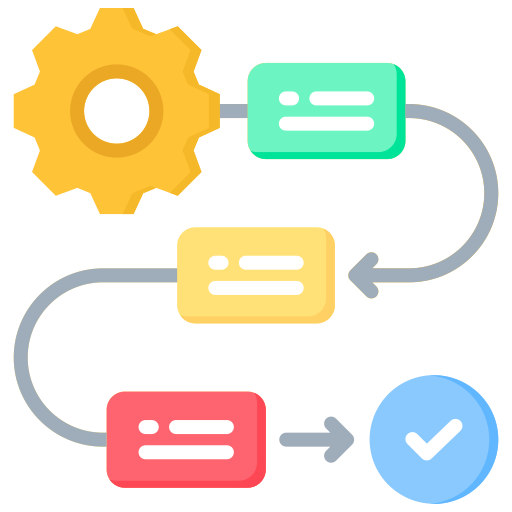
Implementing effective workflows requires a methodical approach that takes into account the specific needs of your organization:
1. Map your current alert sources: Identify all systems that generate notifications: monitoring tools, logs, applications, and security systems. Document the volume, types, and severity of each source.
2. Define classification criteria: Establish clear severity levels (critical, high, medium, low) with objective definitions. Determine what constitutes an emergency requiring an immediate response versus informational alerts.
3. Create an escalation matrix: Design workflows that specify who receives what type of alert, at what time, and through which channel. Include automatic escalations if there is no response within a defined timeframe.
4. Configure alert enrichment: Add automatic context to each notification—links to runbooks, historical data, related metrics, and possible causes. This significantly reduces diagnostic time.
5. Implement smart suppression: Set rules to group related alerts, remove duplicates, and suppress notifications during scheduled maintenance. This helps combat alert fatigue.
6. Integrate response actions: Configure automatic remedies for known issues: restart services, free up disk space, and balance the load. Document each action for auditing purposes.
7. Continuously test and refine: Run simulations, analyze response metrics, and adjust workflows based on actual results. Optimization is an ongoing process.
Best Practices for IT Alert Workflows
Experience with high-performance teams reveals patterns that maximize the effectiveness of workflows:
Minimize false positives: Adjust thresholds and conditions so that only actionable alerts are generated. An alert that doesn’t require action is noise that erodes the team’s trust in the system.
Use multiple channels based on criticality: Reserve phone calls and SMS for true emergencies. Email and collaboration tools work well for lower-priority alerts. 24Cevent offers multi-channel notifications that can be tailored to each severity level.
Implement temporal correlation: Group alerts that occur within close time frames, especially if they share related components or services. This helps identify the root cause more quickly.
Document runbooks in alerts: Each notification should include or link to resolution procedures. This speeds up the response, even for less experienced staff or during night shifts.
Set maintenance windows: Configure automatic alert suppression during scheduled changes to avoid unnecessary notifications that distract from actual incidents.
Monitor the workflow itself: Set up alerts in the alerting system for delivery times, notification failure rates, and the backlog of unprocessed alerts. A broken workflow is just as dangerous as not having one at all.
Integration with AI and Machine Learning
Artificial intelligence technologies are revolutionizing the management of IT alert workflows. Machine learning algorithms can identify patterns that humans miss, predict incidents before they impact services, and continuously optimize routing rules.
AI-powered anomaly analysis learns the normal behavior of your systems and generates alerts only when significant deviations are detected, drastically reducing operational noise. Intelligent correlation automatically groups related alerts, providing a unified view of the incident instead of dozens of fragmented notifications.
Virtual assistants can perform initial triage of alerts, automatically gather diagnostic information, and even implement remedies for common issues without human intervention. This frees up engineers to focus on complex challenges that truly require human expertise.
Automatic classification improves with each resolved incident, learning from the team’s decisions and actions to make increasingly accurate recommendations regarding severity, assignment, and response.
Frequently Asked Questions About IT Alert Workflows
How long does it take to implement an automated alert workflow?
Basic implementation can be completed in a matter of days using platforms such as 24Cevent, which offer preconfigured integrations. Sophisticated workflows involving multiple systems and complex rules may take weeks, but the benefits begin as soon as the first workflow is activated.
What ROI can I expect from automating alert workflows?
Teams typically report a 40–60% reduction in incident response time, a 30–50% decrease in unnecessary escalations, and a significant improvement in team satisfaction by eliminating interruptions caused by low-priority alerts.
Do I need programming knowledge to create workflows?
Modern platforms offer visual drag-and-drop interfaces that don’t require coding. For advanced automations, basic scripting knowledge is helpful but not essential, since many actions come preconfigured.
Transform Your Incident Management Today
Automated workflows for IT alerts are not a luxury but a necessity in modern technology environments. They reduce operational stress, improve response times, and allow teams to focus on innovation rather than constantly putting out fires.
Implementing these workflows requires some initial planning, but today’s tools have drastically simplified the process. If you’re looking for a solution designed for teams in Latin America that combines power, ease of use, and local support, explore how 24Cevent can transform your alert and incident management with intelligent automation that adapts to your operational reality.