



Sirve para algo bastante simple (y crítico a la vez):
👉 asegurar que siempre haya alguien disponible cuando ocurre un problema.
Porque en teoría, todos los equipos tienen turnos definidos…
pero en la práctica, las cosas no siempre funcionan así.
Si trabajas con guardias o turnos, probablemente te suene esto:
- “¿A quién le toca hoy?”
- “Pensé que estaba cubierto”
- “No sabía que estaba de turno”
- “Está de vacaciones, ¿quién lo reemplaza?”
Y justo cuando pasa algo importante…
no está claro quién debe responder.
Ahí es donde entra este tipo de software.
Lo que realmente resuelve (más allá del calendario)
A primera vista, uno podría pensar que es solo un calendario de turnos.
Pero en realidad, bien usado, resuelve algo mucho más importante:
👉 elimina la duda de quién responde cuando ocurre algo.
Porque no se trata solo de organizar horarios, sino de conectar eso con la operación real:
- quién está disponible ahora
- quién está de turno
- quién reemplaza si alguien no está
- a quién escalar si no hay respuesta
En la práctica, ¿qué hace?
Un software de gestión de guardias y turnos permite:
- definir turnos (día, noche, fines de semana, rotativos)
- asignar personas o roles
- gestionar vacaciones, reemplazos y cambios
- mantener siempre actualizado quién está disponible
- integrar esa información con alertas o incidentes
Y esto último es clave.
Porque el problema no es tener los turnos definidos…
es que esa información se use cuando realmente importa.
El problema cuando no existe (o no está bien conectado)
Muchos equipos gestionan turnos en:
- Excel
- Google Calendar
- documentos internos
Y eso funciona… hasta que deja de funcionar.
Cuando pasa un incidente:
- la alerta llega
- alguien tiene que revisar quién está de turno
- no está claro
- se pierde tiempo
👉 y el MTTA sube.
Ejemplo real
Escenario típico:
- ocurre una alerta crítica
- el equipo revisa quién está de turno
- hay dudas
- alguien escribe por Slack
- pasan minutos
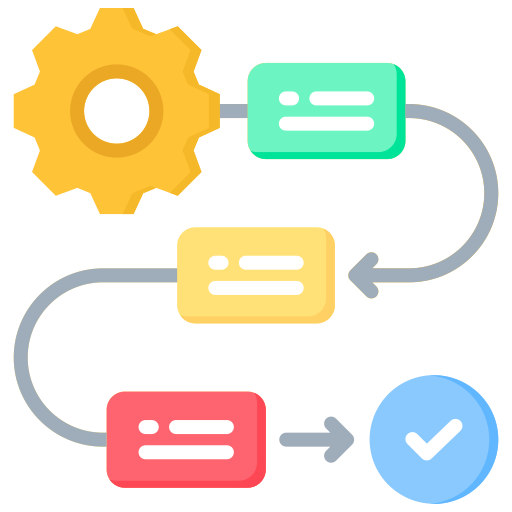
Escenario bien resuelto:
- ocurre la alerta
- el sistema sabe quién está de turno
- se notifica directamente a esa persona
- si no responde, se escala
👉 sin fricción, sin dudas.
Algo importante: no es solo orden, es velocidad
Tener turnos bien definidos no es solo “ordenar al equipo”.
Es impactar directamente en:
- tiempos de respuesta
- continuidad operacional
- carga de trabajo
- claridad de roles
Porque en momentos críticos, lo último que quieres es:
👉 pensar quién debería responder.
Entonces, ¿para qué sirve realmente?
Sirve para pasar de esto:
👉 “¿quién ve esto?”
a esto:
👉 “esto ya tiene responsable”
Y esa diferencia, aunque parezca pequeña, cambia completamente la operación.
Los equipos que funcionan mejor no son los que tienen más personas,
sino los que tienen más claridad.
Y en operaciones TI, esa claridad empieza por algo muy básico:
👉 saber quién está de turno… y asegurarse de que eso realmente funcione cuando importa.
Si hoy tu equipo tiene turnos definidos, pero igual hay dudas o tiempos muertos cuando ocurre un incidente, el problema probablemente no es la planificación, sino cómo se conecta con la operación.
24Cevent permite integrar turnos, contactos y disponibilidad directamente con las alertas, para que cada incidente llegue a la persona correcta, en el momento correcto.