











Automation with real-time decisions

Automates the repetitive.
Decide what is important

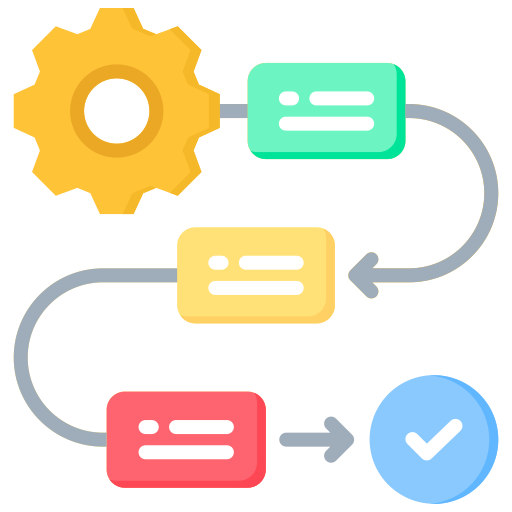
Create workflows that automatically execute actions and allow you to interact with each alert in real time, without losing control or context.

Workflow Alerts - 24Cevent
Workflow start
⚠️
Alert detected
System receives critical alert
Monitoring detects anomaly in production
⚙️
Automatic action
Attempted automatic remediation
Script executes service restart / rollback
Solved?
✓ Resolved
Resolution
Incident automatically closed
Updated registry and metrics
🔒 Flow completed
✗ Unresolved
👤
Human decision
Escalation to on-call equipment
Notification with full context and enriched alerts
⚙️
Manual action
Engineer intervenes and executes solution
Automatic war-room, history and context available
🔁 Active continuous flow
⚙️ Automatic action
👤 Human decision
🔁 Continuous flow
Getting started...

- The problem is not receiving alerts -

It is not being clear what to do when they arrive

This is what is happening today

in most operations

Each alert requires repetitive manual decisions

No clear flow of action in the event of incidents

The answers depend on each person's experience

Time is wasted deciding what to do in each case

There is no standardization in incident management.

And when each alert is handled differently, the operation becomes unpredictable.

When you automate the flow,
everything becomes predictable.

Execute automatic actions

You can define actions such as restarts, validations or integrations without manual intervention.

Enables real-time decisions

Each alert can include options for the team to decide how to act directly.

You standardize the response

All incidents follow the same defined flow, reducing errors and variability.

Integrated with other systems

You can trigger tickets, scripts or external processes from the same flow.

You maintain full control

You automate without losing visibility or human decision-making capacity.

A flow that automates

and allows you to decide

The alert is detected


The system receives an alert from your monitoring tool.

An automatic action is executed


A previously defined remediation or initial action is attempted.

Decision requested


If the problem persists, it is reported with clear options for action.

The decision is executed


The user can escalate, take control or generate a ticket with a single click.

The flow continues


The system follows the defined flow until resolution.

You automate without stopping deciding.

You not only automate processes
You interact with them in real time.

- Each alert becomes a dynamic flow where the system acts and the team decides, without losing context

When you don't have workflows

the impact is constant

Teams making different decisions on the same problem

Time-consuming manual processes

Errors due to lack of standardization

Actions depending on the person available

Delays in resolution due to lack of clarity

What changes in your operation

What is an incident management workflow?

An incident management workflow is a sequence of automated actions and decisions that are executed when an alert occurs, allowing to standardize the response, reduce manual tasks and improve operational efficiency.

Doubts?

What kind of actions can I automate?

You can automate remediations, validations, notifications, ticket creation and integrations with other systems.

Is everything always automatic?

No.
You can define where in the flow human intervention is required to make decisions.

Can I customize the flows according to the type of alert?

Yes.
Each type of alert can have its own workflow with specific actions and decisions.

What kind of decisions can the user make?

It can escalate, take over, generate tickets or other actions defined in the flow.

Can it be integrated with external tools?

Yes.
You can connect workflows to systems such as ITSM, APIs or custom scripts.

Start automating your operation without losing control

Create workflows that automatically execute actions and allow you to decide when it really matters.