• What's going on? •
And that’s where it gets lost, even if the system worked perfectly: the alert email buried among two hundred other unread messages, the message that landed in a Slack channel the team stopped checking months ago, the notification so generic that no one understood what to do, the technician who had to log into three different systems to figure out what it was about, and the person on duty who didn’t see anything because they were out in the field, without a computer and only with their phone.

24Cevent makes your life easier...
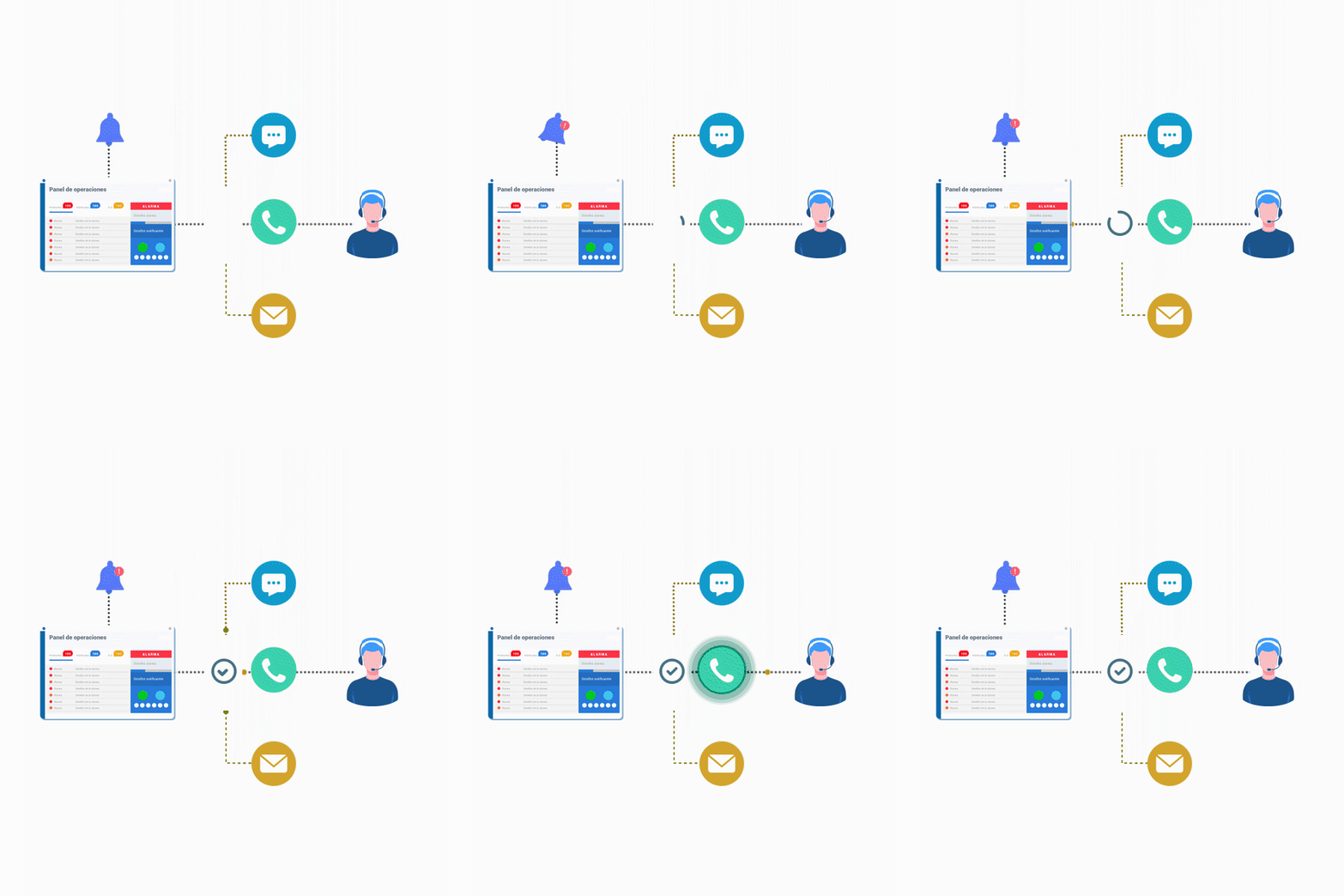
Each person receives the notification exactly where they're likely to see it. Field staff get it via WhatsApp, the team via Teams, and if something is critical and no one acknowledges it, a phone call that's impossible to ignore.
Multiple channels + One channel per person + Channel change when scaling
You decide what information each alert includes. And on platforms like Microsoft Teams or the 24Cevent app, the notification can include images related to the issue—a chart, a screenshot, or the service status—so you can understand what’s happening without having to log into another system.
Custom messages + Event details + Images of the issue
You don't need to log in to the platform to confirm that you've received an alert, escalate it, or close it. You can do this by replying in the same channel where the alert was posted.
Confirm + Escalate + Manage via WhatsApp or whichever channel you use
• It adapts to you, not the other way around •
24Cevent doesn't require you to install a new app or change the way your team communicates. It uses the channels you already have, with the level of detail each person needs. The same alert can be sent to one person via WhatsApp in Spanish and to another via Teams, with each message tailored to that person.
Rules by Channel + Filters by Severity + Schedules by Team
Response Time per Channel + Acknowledgments + MTTA
• We all have our favorite tech stack •









is already a hit for and others like you
Felipe J. - Network Engineer - Clínica Alemana
"It combines fast processing, clear information, excellent tracking, and a high degree of customization; it's a great option for helping us achieve efficiency and adaptability in a single tool."
• Would you like an even more personalized notification? •
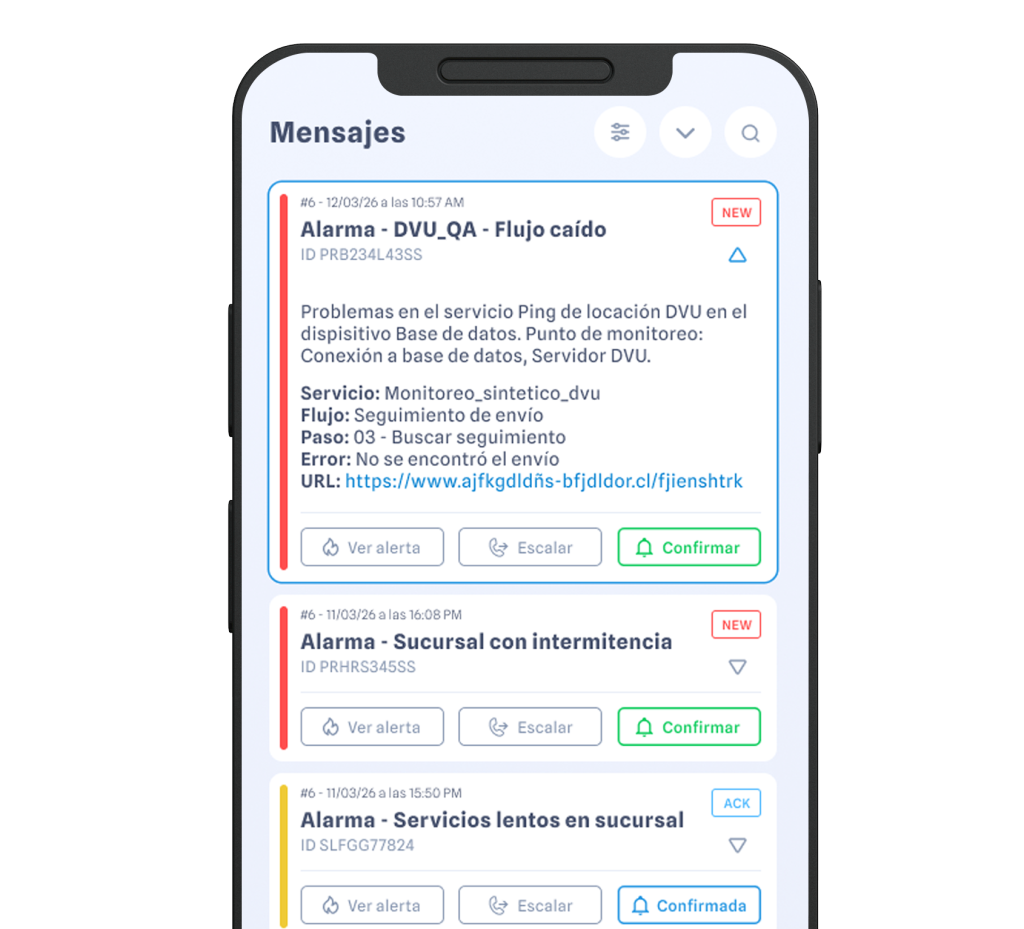
The new 24Cevent app is where notifications turn into action. Confirm or escalate an alert with a single tap, trigger your workflow actions remotely, coordinate with your team via chat, and manage the event from start to finish—with the most comprehensive information available, including images of the issue. No matter where you are, all you need is your phone.
Doubts?
Through the channels your team already uses: WhatsApp, Microsoft Teams, Slack, Telegram, Google Chat, email, SMS, Discord, the 24Cevent app, and phone calls. Each person can have their own preferred channel, and a single event can be notified through multiple channels at once or switch channels as it escalates.
Yes. You define what information each notification includes, from the name of the affected service to the specific details of the event. That way, the message tells the recipient exactly what they need to know to take action, rather than a generic alert that requires them to log into another system to understand it.
In some channels, yes. In Microsoft Teams and the 24Cevent app, notifications can include images—a chart, a screenshot, or a visual representation of the service’s status—so you can understand the situation at a glance. In other channels, the content is text-based, with as much detail as you specify.
Yes. Communication is two-way on channels like WhatsApp: you can acknowledge the alert, escalate it, or handle it by replying right where you received it. You don’t need to open the app or switch tools to reply.
No. The idea is actually the opposite: to use the channels you already have. If your team uses WhatsApp and Teams, alerts will be sent through those platforms. The 24Cevent app is an additional option for anyone who wants it, with features like images in notifications, but it’s not required.
Yes. 24Cevent can send notifications in each contact’s language, so that the same event can be sent in Spanish to one person and in another language to another. This is useful for teams spread across several countries that are working on the same project.