• What's going on? •
The rest is the usual story: screens that no one has time to look at, the analyst who got lost amid 40 warnings, the pager call at 3 a.m. over nothing, keeping someone awake at night just in case, and the SLA that’s cobbled together by hand in Excel on the last day of the month.

24Cevent makes your life easier...
Correlation + Clustering + Maintenance Windows
Notification + Escalations + Guaranteed Confirmation + History
Automatic Remediation + SLA + AI 24Brains
• It adapts to you, not the other way around •
24Cevent doesn't replace your monitoring; it integrates with all your tools, allowing you to centralize your information in a single view.
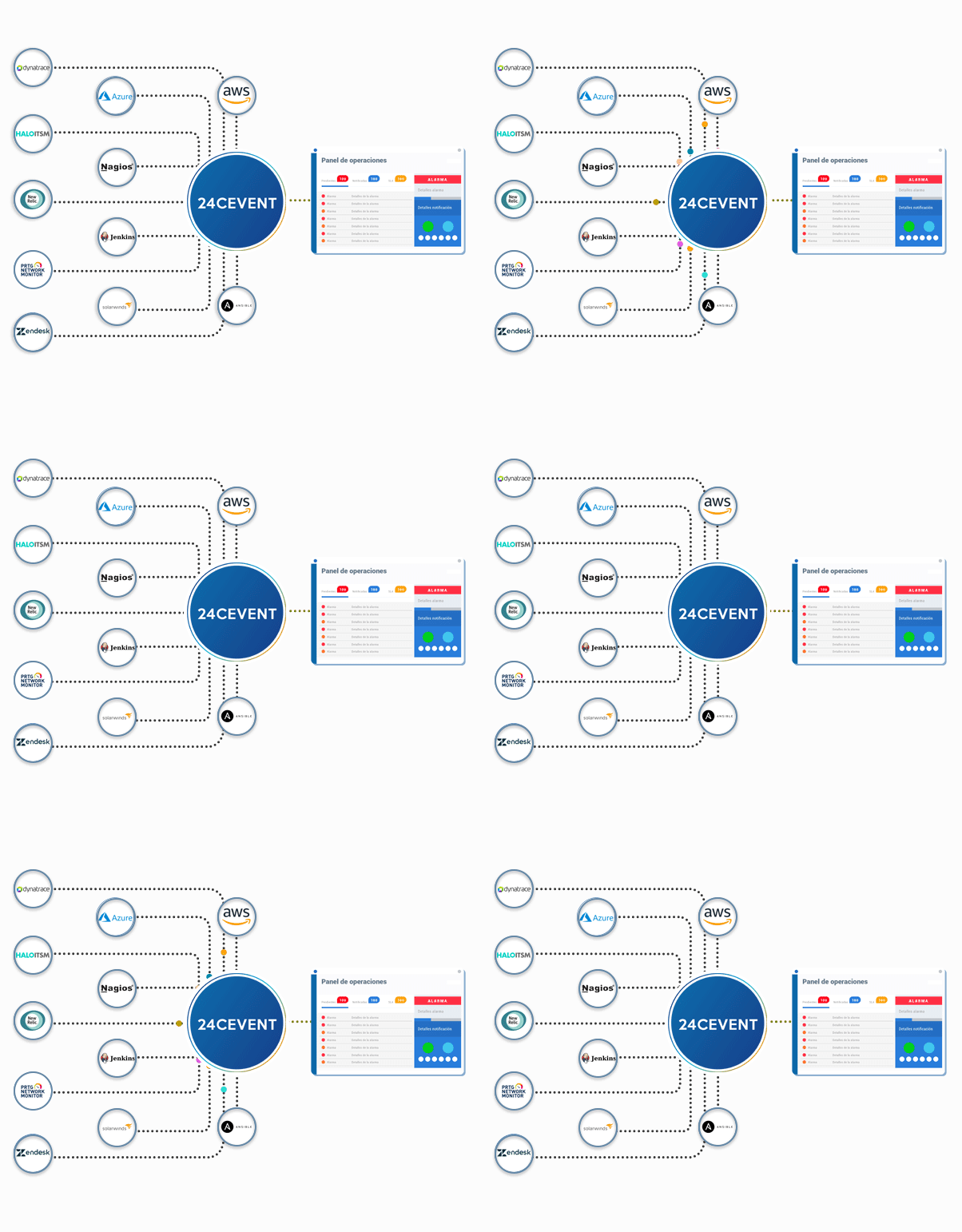
Real-time analysis is replacing manual Excel work
Interaction + Automation + Advanced Notifications
• We all have our favorite tech stack •


















is already a hit for and others like you
Ivan Flores - Senior Delivery Lead - Cencosud
"It's great. Among its features, the ones I appreciate most are the automatic notifications with voice calls in Spanish to different countries. It centralizes events across our entire infrastructure, integrates with multiple tools, and makes managing notifications easier for us."
Doubts?
It is the process that takes place after a tool detects a problem: filtering out noise, determining whether the alert warrants action, notifying the right person through the right channel, and escalating the issue if no one responds. Monitoring detects problems; alert management ensures that someone is notified and takes action in a timely manner.
Zabbix does not make calls natively: it sends emails, messages, or webhooks. By configuring a webhook media type that points to 24Cevent, each alert can be converted into a phone call, a WhatsApp message, or a Teams message, depending on its severity and the shift currently in effect.
Reducing the volume before it reaches people. Related alarms are grouped into a single incident using correlation rules, expected alerts are silenced during maintenance windows, and only what truly requires action triggers a notification. The team no longer has to review hundreds of alerts every day; instead, they focus on the few that are relevant.
No. 24Cevent does not monitor infrastructure or applications: it connects to the tools you already use—Zabbix, Datadog, Grafana, Prometheus, Nagios, and others—and manages the alerts they generate. It’s a complementary layer, not a replacement, and it works with multiple tools at the same time.
MTTA measures the average time between the generation of an alert and its confirmation by a responsible party. MTTR measures the average time to incident resolution. 24Cevent automatically records both times for each event and calculates the metrics, eliminating the need for manual spreadsheets.
Yes. Each severity level can have its own workflow: an informational alert is logged without notification, a warning is sent via chat during business hours, and a critical alert triggers an immediate phone call, which is escalated if there is no response. The rules also take into account the shift, the time of day, and the team responsible.