- Plataforma

Plataforma a tu medida

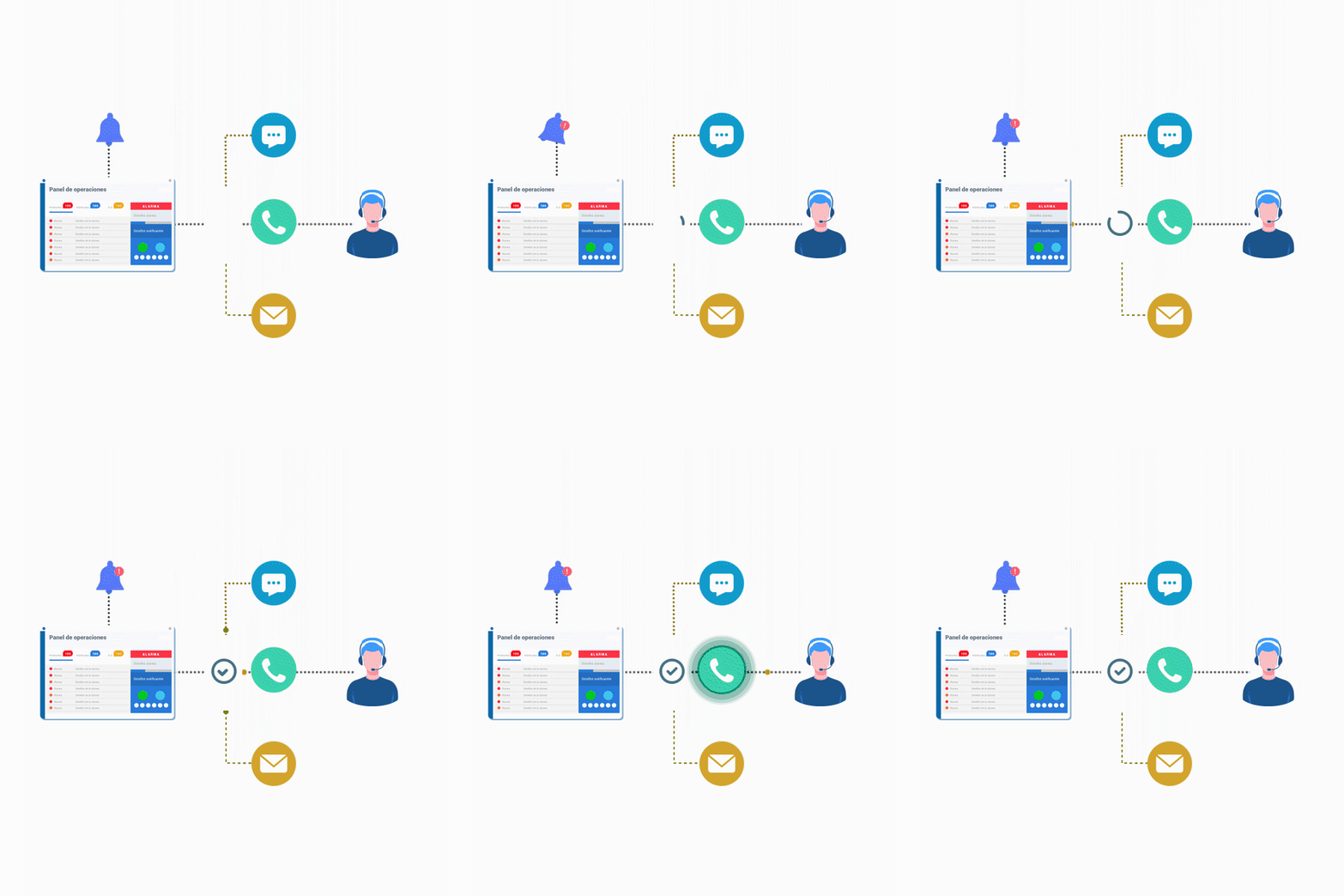
Notificación automática de alertas
Asegura que toda alerta sea contestada

Inhibición del ruido operativo
Enfócate solo en la causa raíz del problema
Toma decisiones informadas y estratégicas

Gestión integral de incidentes
Crea, coordina y resuelve incidentes desde una única plataforma
Workflows interáctivos con eventos
Ejecuta acciones inmediatamente sin perder el control
Potenciado por IA

Soporte N1 automático con 24Brains
Automatiza la solución de problemas
Recursos útiles
Encuentra tu herramienta preferida y conéctala en pocos pasos
- Soluciones

Soluciones para lo que te importa

Centraliza tus alertas y entérate solo de lo crítico
Gestiona alertas de tus plataforma en la nube

Entérate de fallas en tus dispositivos de inmediato

Prioriza amenazas con automatización
Convierte alertas en tickets y informate con contexto
Activa acciones desde una alerta con tu celular
Soluciona velozmente fallas de entornos productivos

Que tus leads no se enfrien por no atenderlos

Reacciona a tiempo ante fallos de pagos

Infórmate de alertas por el canal favorito de tu equipo
- Recursos
Recursos gratis
Determina cuánto tiempo pueden estar inactivos tus servicios antes de que esto afecte a tu negocio.
Revisa cuales son las métricas más relevantes para analizar y mejorar tu negocio.
Crea turnos y horarios personalizados para tus equipos de soporte de guardia.
Sobre 24Cevent
Descubre cómo 24Cevent ha transformado la forma de trabajar de nuestros clientes.
- Precios
- Compara 24Cevent con…
- Blog
- Plataforma
Plataforma a tu medida
Notificación automática de alertas
Asegura que toda alerta sea contestada
Inhibición del ruido operativo
Enfócate solo en la causa raíz del problema
Toma decisiones informadas y estratégicas
Gestión integral de incidentes
Crea, coordina y resuelve incidentes desde una única plataforma
Workflows interáctivos con eventos
Ejecuta acciones inmediatamente sin perder el control
Potenciado por IA
Soporte N1 automático con 24Brains
Automatiza la solución de problemas
Recursos útiles
Encuentra tu herramienta preferida y conéctala en pocos pasos
- Soluciones
Soluciones para lo que te importa
Centraliza tus alertas y entérate solo de lo crítico
Gestiona alertas de tus plataforma en la nube
Entérate de fallas en tus dispositivos de inmediato
Prioriza amenazas con automatización
Convierte alertas en tickets y informate con contexto
Activa acciones desde una alerta con tu celular
Soluciona velozmente fallas de entornos productivos
Que tus leads no se enfrien por no atenderlos
Reacciona a tiempo ante fallos de pagos
Infórmate de alertas por el canal favorito de tu equipo
- Recursos
Recursos gratis
Determina cuánto tiempo pueden estar inactivos tus servicios antes de que esto afecte a tu negocio.
Revisa cuales son las métricas más relevantes para analizar y mejorar tu negocio.
Crea turnos y horarios personalizados para tus equipos de soporte de guardia.
Sobre 24Cevent
Descubre cómo 24Cevent ha transformado la forma de trabajar de nuestros clientes.
- Precios
- Compara 24Cevent con…
- Blog