• What's going on? •
And no matter what the tool is, the outcome is always the same: the ERP system that left an error log that no one checks, the internal application that crashed and wasn’t noticed until people couldn’t do their work, the nightly batch process that failed and wasn’t discovered until the next morning, the sensor that flagged an out-of-range temperature on a dashboard that no one had open, and the custom-built system that no one connected to anything because “it didn’t fit into the categories.” The problem was never that the tool didn’t send an alert. It was that the alert never reached a person.

24Cevent makes your life easier...
If your tool can send a notification when something happens, 24Cevent receives it and makes sure the right person is notified through the right channel until someone confirms it.
Any source + Shifts + Schedules + Phone call
Actions for Your Tools + Automation + API Calls
Correlation + Grouping + Rules by Event Type + Maintenance Windows
• It adapts to you, not the other way around •
24Cevent doesn't need to know your tool in advance. As long as it can send a notification via webhook or API—and almost every modern system can—your alerts are handled just like those from any other source. The same notification, escalation, and logging engine is used, regardless of whether the alert comes from a well-known ERP system or a system you developed in-house.
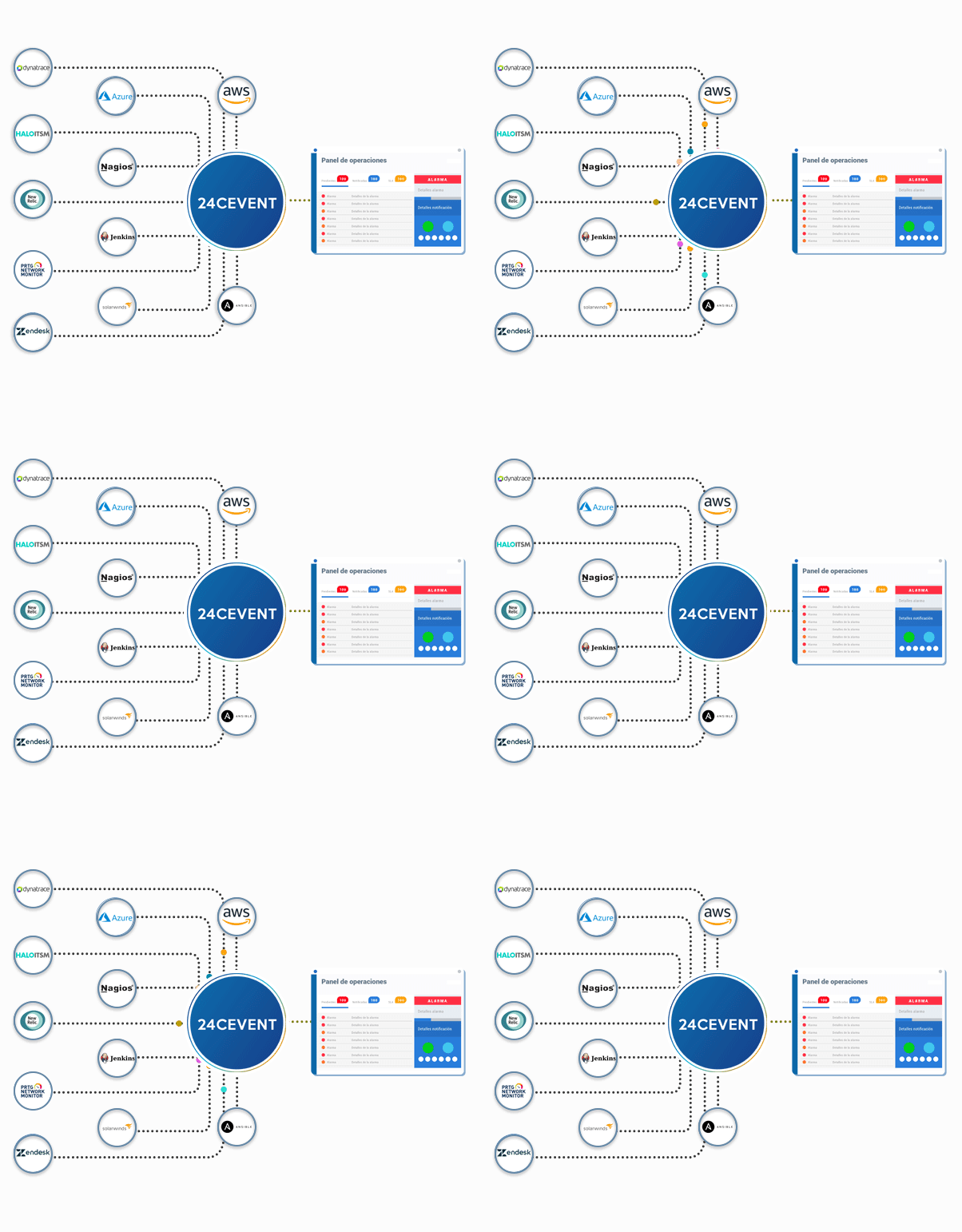
Creation + Coordination + Traceability + Closure
Events by Tool + MTTA + MTTR + Availability
• We all have our favorite tech stack •






is already a hit for and others like you

Ivan Flores - Senior Delivery Lead - Cencosud
"It's great. Among its features, the ones I appreciate most are the automatic notifications with voice calls in Spanish to different countries. It centralizes events across our entire infrastructure, integrates with multiple tools, and makes managing notifications easier for us."
Doubts?
Yes. The list shows the most common integrations, but it’s not exhaustive. Any tool that can send a notification via a webhook or an API call can be connected to 24Cevent without any additional development. The category of your tool doesn’t matter—the only thing that matters is that it can send a notification when something happens.
Yes, and that’s one of its most common uses. If your own system can send an HTTP request when an error or a relevant event occurs, it can send that signal to 24Cevent. From there, it’s handled just like any other alert: notification, escalation, logging, and metrics.
There are two ways to connect them. If the tool allows you to run a script or send emails in response to an event, those actions can be turned into a signal sent to 24Cevent. And if it doesn’t have a built-in way to send notifications, bridge platforms like Zapier, Make, or n8n allow you to connect it, since they integrate with thousands of applications.
Yes. Inventory and CMDB tools can send events when an asset’s status changes or when a relevant condition is detected. 24Cevent receives those events and converts them into manageable alerts—with an assigned responsible party, escalation, and traceability—just as it does with any other source.
It depends on the tool. Many allow you to set up a webhook from their own dashboard, without writing any code. For a custom system or a bespoke integration, technical support is recommended, because you need to define where the signal is sent from and what data it contains, but the work involved is usually minimal: a single HTTP request is enough to get started.
As long as there’s a way to send the notification (webhook, API, email, or a bridge like Zapier), it can be managed. What 24Cevent needs isn’t a specific integration, but rather a signal that something has happened. If your tool can generate that signal, it can become a managed alert.